TL;DR: Digital Wallet Payments
A digital wallet is a secure, app-based mobile system that stores digital versions of payment methods on smartphones or wearable devices, allowing users to make seamless contactless or online payments.
Key Takeaways
-
The Technology: Digital wallets use encryption and tokenization—replacing real card numbers with a one-time encrypted code—and Near Field Communication (NFC) to transmit payment information securely.
-
Ideal Context: Increasingly preferred by consumers for speed and convenience, and highly beneficial for subscription and recurring revenue businesses to reduce mobile cart abandonment and manage ongoing payments.
The Lifecycle:
1. Setup & Verification: A user adds a card to the app and verifies ownership via a one-time code from their issuer.
2.Authentication: The user unlocks the payment terminal via biometric data (Face ID/Fingerprint) or a passcode.
3.Processing: The encrypted token routes through payment networks securely without ever exposing the actual card details to the merchant.
-
Balance Sheet Impact: For businesses, stored wallet credentials support automated recurring billing and revenue continuity, especially when paired with automatic card updaters to prevent involuntary churn.
Implementation Steps
-
Choose the Right Provider: Utilize native apps like Apple Pay or Google Wallet, or cross-platform solutions like PayPal depending on your device and checkout needs.
-
Enable Biometrics: Set up facial recognition or fingerprint scans as your primary authentication method to ensure security if your device is lost.
-
Maintain Digital Hygiene: Monitor wallet transactions in real-time, keep your device apps updated to patch vulnerabilities, and avoid using public Wi-Fi for payments.
-
Integrate into Your Billing Stack: Connect your business to a flexible billing platform that securely stores tokenized credentials and automates failed payment retries.
The Bottom Line
Digital wallets represent a faster, safer, and highly convenient evolution of standard plastic cards. For modern SaaS and subscription organizations, integrating these wallets into your core financial operations is essential to reducing churn, accelerating cash flow, and meeting customer expectations.
Are you looking to automate the tracking of these assets within your billing system, or are you currently reconciling these timing differences manually? For businesses looking to scale their infrastructure, utilizing advanced Subscription Invoicing Software or specialized Recurring Billing Software can help smoothly automate cash application and handle complex tokenized transactions alongside your primary SaaS Billing engine.
Digital wallets store your credit cards, debit cards, and payment credentials in a smartphone app, letting you tap to pay at checkout instead of swiping plastic. They use encryption and tokenization to protect your actual card numbers, which is why many security experts consider them safer than carrying physical cards.
This guide covers how digital wallet payments work, the major apps available, security best practices, and how subscription businesses can integrate wallet payments into their billing operations.
What Are Digital Wallet Payments
What is a digital wallet and how does it enable payments?
Digital wallets are secure, app-based mobile systems that store credit cards, debit cards, loyalty cards, and tickets on smartphones or wearable devices for quick contactless payments. Popular options like Apple Pay, Google Wallet, and Samsung Pay use encryption and tokenization to protect user data, often making them more secure than traditional physical cards.
Think of a digital wallet as a smarter version of the wallet in your pocket. Instead of carrying plastic cards, you store digital versions of your payment methods in an app on your phone. The wallet can also hold gift cards, event tickets, boarding passes, and loyalty program memberships.
How Digital Wallet Payments Work
How does a digital wallet securely transmit payment information?
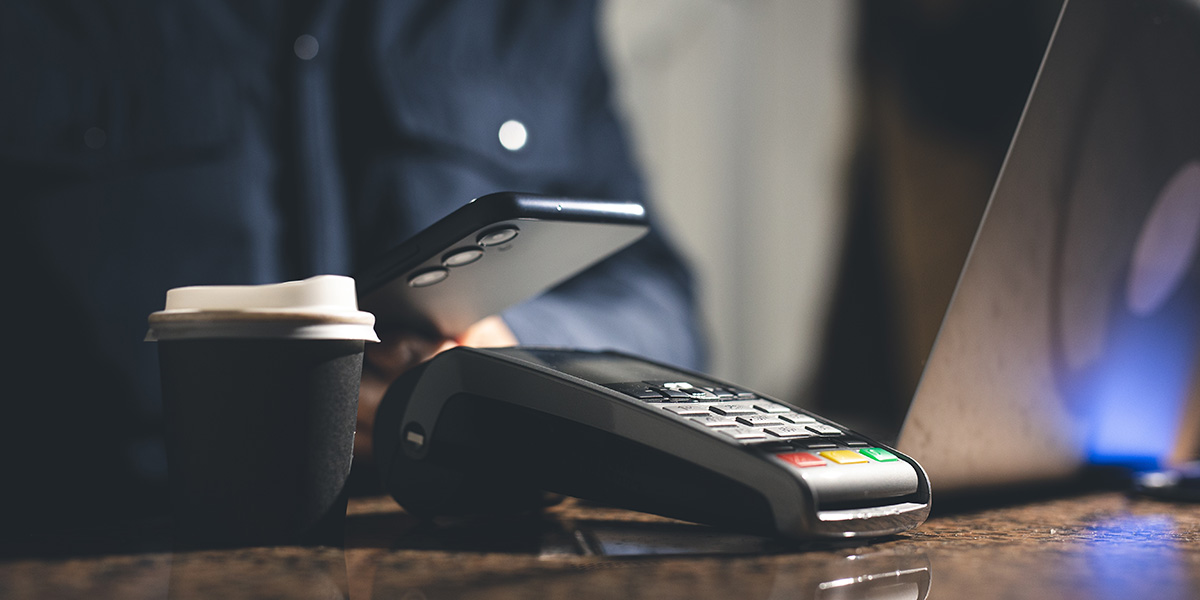
When you tap your phone at a checkout terminal, the wallet doesn’t send your actual card number. Instead, it uses a process called tokenization, which replaces your real card details with a unique, encrypted code generated for that single transaction. Even if someone intercepted the token, it would be useless for future purchases.
The underlying technology for in-store payments is Near Field Communication (NFC), a short-range wireless signal that transmits the encrypted token when your device is held within a few centimeters of the terminal. Samsung Pay also supports Magnetic Secure Transmission (MST), which mimics a card swipe and works with older terminals that lack NFC.
- User taps device: The phone or watch is held near the contactless terminal symbol.
- Wallet sends secure token: NFC transmits an encrypted, one-time code instead of the card number.
- Payment network processes: The token routes through Visa, Mastercard, or other networks like a standard card transaction.
- Transaction completes: Confirmation appears on both the terminal and your device.

How To Use A Digital Wallet To Make A Payment
How do you set up and use a digital wallet for the first time?
Getting started takes just a few minutes. Most smartphones come with a wallet app pre-installed, so you likely already have one ready to go.
Step 1. Choose and download a digital wallet app
iPhones include Apple Wallet, while Android devices come with Google Wallet. You can also download third-party options like PayPal if you prefer a cross-platform solution.
Step 2. Add your payment methods
Open the wallet app and add a card by photographing it or manually entering the details. Credit, debit, and prepaid cards all work, and many wallets also accept gift cards and loyalty programs.
Step 3. Verify your cards or bank account
Your card issuer will confirm ownership, typically by sending a one-time code via SMS, email, or your banking app. This verification step ensures only you can use the card in your wallet.

Step 4. Set up device security
The wallet requires biometric authentication, such as fingerprint or facial recognition, or a PIN before any payment can go through. This protects your funds if your phone is ever lost or stolen.
Step 5. Authenticate and complete the payment
At checkout, hold your device near the contactless symbol on the terminal. Authenticate with your fingerprint, face, or PIN, and wait for the confirmation vibration or chime. The entire process usually takes less than two seconds.
Why Digital Wallet Payments Matter For Consumers And Businesses
Why are digital wallets becoming the preferred payment method?
For consumers, digital wallets offer a faster, lighter way to pay. There’s no fumbling for cards, no touching shared keypads, and no need to carry a physical wallet at all.
- Speed: Checkout takes seconds rather than swiping and signing.
- Convenience: Multiple cards, loyalty programs, and tickets live in one app.
- Contactless hygiene: Reduces physical contact with terminals.
- Transaction tracking: Payment history is instantly accessible in the app.
Businesses benefit too. Faster transactions mean shorter lines, and offering digital wallet options at checkout can reduce cart abandonment, especially on mobile. For subscription and recurring revenue businesses, digital wallet adoption also shapes how customers prefer to pay invoices and manage ongoing payments.
Types Of Digital Wallet Payments
What are the different ways digital wallets can be used for payments?
Digital wallets extend well beyond tapping your phone at a coffee shop. Understanding the different use cases helps clarify where wallets fit into everyday commerce.
In-store contactless payments
This is the most familiar scenario: holding your phone or watch near a retail terminal to pay. Look for the contactless symbol, which resembles four curved lines similar to a Wi-Fi icon turned on its side.
Online and mobile checkout payments
Many e-commerce sites display buttons like “Pay with Apple Pay” or “Pay with Google Pay.” Selecting one of these options pulls your stored card details directly into checkout, eliminating manual entry and speeding up mobile purchases.

Peer-to-peer transfers
Apps like Venmo, Cash App, and PayPal allow you to send money directly to friends or family. Wallet-to-wallet transfers differ from merchant payments because no card terminal is involved; funds move between accounts.
Recurring and subscription payments
Stored wallet credentials can also power automatic recurring charges. When a subscription business keeps a tokenized card on file, it can bill customers each month without requiring them to re-enter payment details.
Pros and Cons of Digital Wallets
What are the advantages and disadvantages of using digital wallets?
Like any payment method, digital wallets come with trade-offs. Weighing both sides helps you decide how, and how much, to rely on them.
Benefits of digital wallet payments
- Enhanced security: Tokenization protects your actual card number, and biometric authentication adds another layer.
- Convenience: No physical cards are needed, and checkout is faster.
- Contactless option: Hygienic, with no need to touch shared surfaces.
- Versatility: Stores multiple cards plus loyalty programs, tickets, and boarding passes.
- Transaction tracking: Easy access to payment history in the app.
Drawbacks of digital wallet payments
- Limited merchant acceptance: Not every retailer has upgraded to contactless terminals.
- Device dependency: A dead battery means no wallet access.
- Security if unprotected: A lost device without a PIN or biometrics creates vulnerability.
- Learning curve: Some users find initial setup unfamiliar.
Are Digital Wallet Payments Safe
How secure are digital wallets compared to traditional payment methods?
Digital wallets are generally considered more secure than carrying physical cards. Multiple layers of protection work together to keep your information safe.
First, biometric or PIN authentication is required for every transaction, so even if someone picks up your phone, they can’t pay without your fingerprint or face. Second, tokenization means the merchant never sees your actual card number; they receive only a one-time encrypted code. Third, if your phone is lost or stolen, you can remotely wipe the device and disable the wallet entirely.
Compare that to a physical card: if it’s stolen, the thief has your full card number, expiration date, and CVV printed right on the plastic. With a digital wallet, there’s nothing to skim and nothing to photocopy.

Best Digital Wallet Apps For Payments
Which digital wallet apps are most widely used and accepted?
Several major wallets dominate the market, each with its own strengths. The right choice often depends on your device and how you prefer to pay.
Apple Pay
Pre-installed on iPhones, iPads, and Apple Watch, Apple Pay uses Face ID or Touch ID for authentication. It’s widely accepted at retail stores, in apps, and online.
Google Wallet
The standard wallet for Android devices, Google Wallet stores payment cards alongside transit passes, loyalty cards, and event tickets. It works across Android phones and Wear OS watches.
Samsung Pay
Samsung Pay stands out for its MST technology, which works with older magnetic-stripe terminals that lack NFC. This broader compatibility makes it useful in regions where contactless adoption is still catching up.

PayPal
PayPal works across device types and excels at online checkout. It can link to bank accounts and multiple cards, making it a versatile option for e-commerce.
Venmo
Owned by PayPal, Venmo is popular for peer-to-peer payments between friends. It also offers a Venmo debit card for in-store purchases and is increasingly accepted by merchants.
Cash App
Cash App combines peer-to-peer transfers with a Cash Card for in-store use. Its simple interface has made it a favorite for quick transfers between individuals.
| Wallet | Platform | Best For | Key Feature |
|---|---|---|---|
| Apple Pay | iOS/Apple | Apple users | Face ID/Touch ID |
| Google Wallet | Android | Android users | Transit and tickets |
| Samsung Pay | Samsung | Older terminals | MST technology |
| PayPal | Cross-platform | Online shopping | E-commerce integration |
| Venmo | Cross-platform | Peer-to-peer | Social payments |
Best Practices for Securing Digital Wallet Payments
How can you protect your digital wallet from fraud and unauthorized access?
Even though digital wallets are secure by design, a few habits can strengthen your protection further.
Enable biometric authentication
Fingerprint or facial recognition is harder to compromise than a PIN alone. If your device supports biometrics, use them as your primary unlock method.
Use strong device passcodes
Set a complex PIN or alphanumeric passcode as a backup. Avoid simple patterns like “1234” or your birthdate.

Monitor transactions in real time
Enable transaction notifications so you’re alerted immediately after each purchase. Review your wallet activity regularly and report unauthorized charges right away.
Avoid public Wi-Fi for payments
Public networks can expose data to interception. When making payments, use cellular data or a trusted private network.
Keep apps and devices updated
Security updates patch vulnerabilities that attackers might exploit. Installing updates promptly keeps your wallet protected against the latest threats.
Digital Wallets for Recurring and Subscription Payments
How do digital wallets support automatic recurring payments for subscriptions?
For subscription businesses, digital wallets aren’t just a checkout convenience; they’re part of the recurring payment infrastructure. When a customer adds a card to their wallet, that same tokenized credential can be stored on file for ongoing charges.
Automatic card updaters
When a card expires or is reissued, digital wallets and card networks can automatically update the stored credentials. This feature is critical for subscription revenue continuity, because without it, expired cards lead to failed payments and involuntary churn.
Failed payment retries and dunning
Even with card updaters, some charges still fail. Automated retry logic and customer communication, known as dunning, help recover revenue. Modern billing platforms automate dunning workflows, reducing manual follow-up and keeping subscription revenue flowing.

Bringing Digital Wallet Payments into Your Billing Stack
How can subscription businesses integrate digital wallet payments into their billing operations?
Accepting digital wallet payments is just one piece of a complete recurring payment strategy. Subscription businesses typically support multiple methods, including cards, wallets, ACH, and bank transfers, to meet customer preferences across regions and use cases.
A flexible billing platform connects to multiple payment gateways, supports card-on-file tokenization, automates failed payment retries, and handles cash application. Platforms like Ordway bring these capabilities together, ensuring digital wallet payments flow smoothly into revenue operations alongside every other payment method.
For SaaS and subscription businesses looking to modernize their payment collection, the goal is reducing involuntary churn, accelerating cash flow, and giving customers the payment flexibility they expect.
Learn about Ordway’s recurring payments solution.
Frequently Asked Questions about Digital Wallet Payments
Digital wallets use encryption and tokenization to replace your actual card number with a one-time encrypted code, so merchants never see your real card details. This encrypted token travels through payment networks securely without exposing sensitive information.
You can store digital versions of credit cards, debit cards, and other payment methods in apps like Apple Pay, Google Wallet, or PayPal on your smartphone or wearable device.
Digital wallets reduce mobile cart abandonment, enable automated recurring billing, and help prevent involuntary churn when paired with automatic card updaters. They also meet customer expectations for faster, more convenient payments.
You unlock the payment terminal using biometric data like Face ID or fingerprint, or by entering a passcode before the payment is processed.
Monitor your wallet transactions in real-time, keep your device apps updated to patch vulnerabilities, and avoid making payments over public Wi-Fi networks.